Can You Edit a Personalized Book After Ordering?
Start a cover preview
You just spent twenty minutes picking out the perfect adventure for your little one. You uploaded the cutest photo of them smiling, typed in their name, and clicked that "Order" button with a sense of pride. But then, a cold shiver runs down your spine. Did you spell "Emmett" with one 't' or two? Did you accidentally leave the "Ship to" address as your old apartment? We have all been there. It is that "oh no" moment that every parent dreads when shopping online. Because these are custom gifts, the question can you edit a personalized book after ordering becomes very important, very quickly. At StorytimeHero.ai, we know how much these books mean to your family, and we want to help you navigate what happens after you hit that final button.
Understanding the Process: Can You Edit a Personalized Book After Ordering?
To understand why editing a custom book is different from editing a standard order on a site like Amazon, we have to look at what happens behind the scenes. When you order a regular toy or a pair of shoes, a worker simply pulls a pre-made item off a shelf and puts it in a box. However, when you create a personalized book for kids, the process is much more complex.
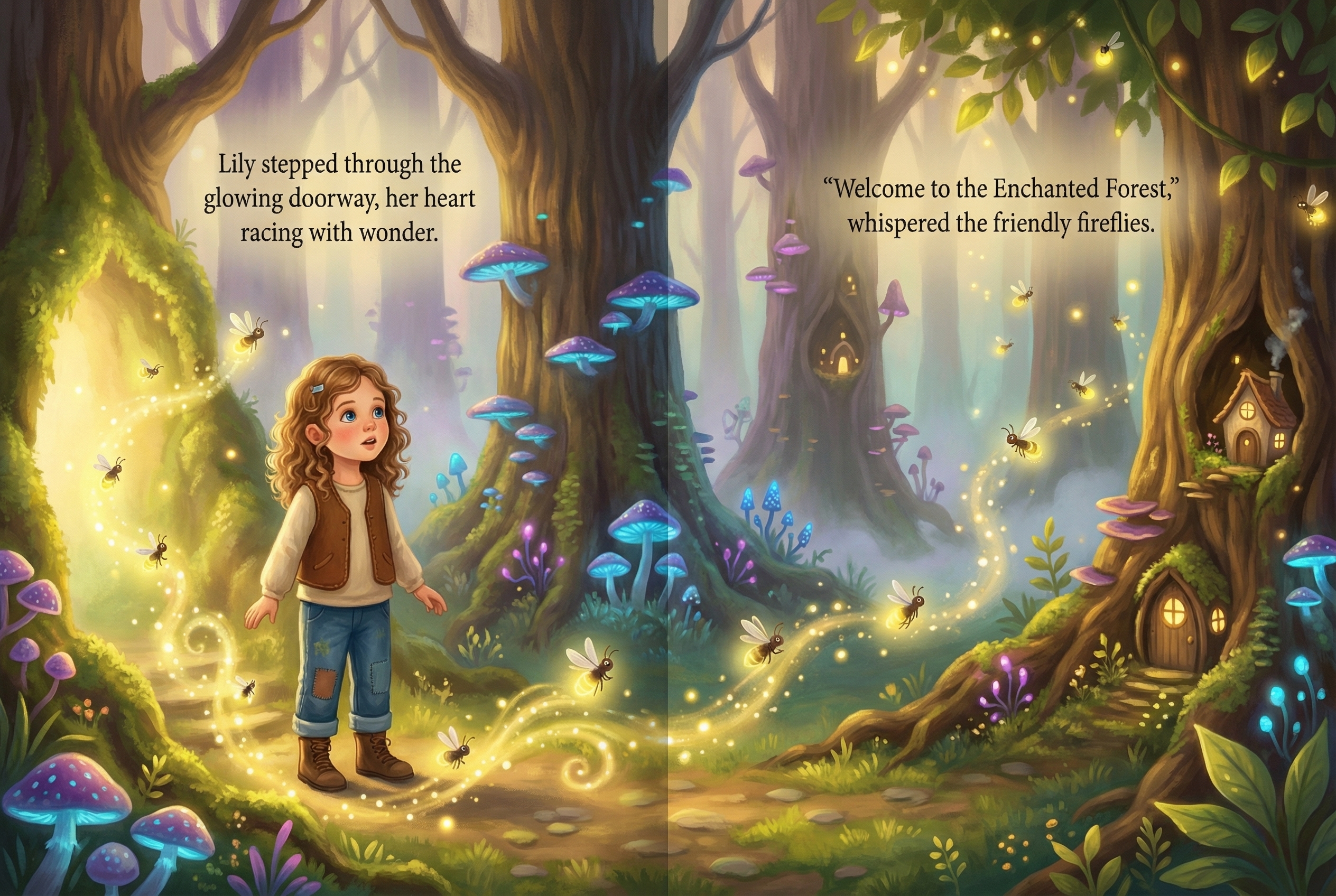
The moment your order is confirmed, our systems begin a high-tech "magic" phase. Since StorytimeHero uses advanced AI to put your child’s uploaded photo into the story, our computers start rendering those custom illustrations immediately. These are not just stickers placed on a page; the AI is actually building a world where your child is the hero. Because this process uses a lot of computing power and starts almost instantly, the "edit" window is much smaller than you might think.
In the world of custom printing, this is often called "Print on Demand" (POD). This means the book does not exist until you buy it. Once the digital files are sent to the printing press, they are queued up with hundreds of other books. Once the ink hits the paper, the physical product is being made just for you. This is why the answer to can you edit a personalized book after ordering is usually "it depends on how fast you act."
Why It Is Hard to Edit a Personalized Book After Ordering
You might wonder why it is so difficult to just change one letter or swap a photo. After all, it is just a digital file, right? While that is true in the very first few minutes, the workflow of a personalized book company is designed for speed. Parents usually want their books delivered as fast as possible for birthdays or holidays. To meet those deadlines, we automate as much as we can.
The Digital Rendering Queue
When you upload a photo of your child, our AI analyzes their features. It looks at the shape of their eyes, their smile, and their hair. It then integrates those features into every single page of the book. If you wanted to change the photo after the order is placed, the AI would have to scrap all the work it already did and start the entire book from scratch. This isn't just a simple "swap"; it is a total rebuild of the artistic content.
The Printing Queue
Once the AI finishes the artwork, the file is sent to a professional printing facility. These facilities use massive industrial printers that run 24/7. These machines are incredibly efficient, but they don't have a "pause" button for individual books. Once your child's story is in the print queue, it is bundled with dozens of other books to save on paper and energy. Stopping the machine to find one specific file would cause a delay for every other parent waiting for their book.
The Shipping Integration
Our shipping systems are often linked directly to the order screen. The moment you pay, a shipping label might be generated or data might be sent to the courier. Changing an address after this point can lead to "lost" packages where the system thinks the book is going to Place A, but the label says Place B.
How to Avoid Needing to Edit a Personalized Book After Ordering
The best way to handle an error is to make sure it never happens in the first place. We know parents are busy. You are probably ordering this book while your toddler is napping or while you are waiting in the school pickup line. Distractions are everywhere! Here is a checklist to help you get it right the first time so you never have to ask can you edit a personalized book after ordering.
- The Double-Check Name Rule: Type your child’s name, then look away for five seconds. Look back and read it out loud, letter by letter. It sounds silly, but your brain often "sees" what it expects to see rather than what is actually on the screen.
- Photo Quality Check: Make sure the photo you upload is clear and well-lit. If the photo is blurry, the AI-generated illustrations will reflect that. We have a great guide on how to choose the best photos for AI storybooks that can help you pick a winner.
- Check the Dedication: If you are writing a special message on the inside cover, use a spell-checker. Many parents forget that the dedication is part of the printed book and cannot be changed later.
- Verify the Address: If you are sending the book as a gift directly to a grandchild or a niece, double-check their current address. Auto-fill settings on web browsers often put in your old address or your office address by mistake.
- Preview Everything: Use the preview tool on our site. This is your chance to see exactly what the book will look like. If something looks off in the preview, it will look off in the final book.
What to Do if You Spot a Mistake Right Away
If you just clicked "order" and realized you made a mistake, do not panic. While the window is small, there are steps you can take.
Contact Support Immediately
The very first thing you should do is email our customer support team. Include your order number and the specific change you need to make. If you catch it within the first hour, there is a much higher chance that we can "void" the order before it enters the AI rendering or printing phase.
Check Your Confirmation Email
Most companies, including StorytimeHero.ai, send an automated email the second you buy something. Read through that email carefully. It usually contains a summary of the name you chose and the address you provided. If you see an error here, it is your signal to reach out to us instantly.
Understand the "Cancellation" Window
In some cases, it is easier to cancel the entire order and start over than it is to "edit" a single detail. If you realize the photo you uploaded was the wrong one, ask support if they can cancel the order so you can re-order with the correct image. This ensures the AI creates the best possible version of your custom children's book.
The Role of AI in Your Child’s Custom Adventure
One of the reasons parents love StorytimeHero.ai is because we don't just put a name in a book; we put the child in the book. Our AI technology is what makes this possible. However, because the AI is "painting" your child into the scenes, the level of customization is much deeper than a standard book.
When you ask, "Can you edit a personalized book after ordering?", you are often asking about the artwork. Because the AI creates unique illustrations for every single order, there is no "master copy" to go back to. Each book is a unique digital creation. This is why we put so much emphasis on the benefits of personalized reading—the connection a child feels when they see themselves is powerful, but it requires a bit of extra care during the setup phase.
Think of it like a custom painting. If an artist paints a portrait of your child and finishes the canvas, you can't easily change the color of the child's shirt without ruining the paint layers. Our AI works in a similar way. It builds the story layer by layer based on your initial input.
Practical Tips for Busy Parents
We know you are juggling a million things. Here are some "pro tips" from our team to ensure your book arrives perfectly without needing any edits:
- Order During a Quiet Time: Don't try to customize a book while your kids are jumping on the couch. Wait until they are asleep or at school so you can give the screen your full attention for five minutes.
- Use a Desktop or Laptop: While our site works great on mobile, it is often easier to see small typos or photo blurriness on a larger computer screen.
- Have a Second Pair of Eyes: If you are making a book for a special occasion, ask your partner or a friend to look at the preview. They might catch a typo that you have missed because you’ve looked at it too many times.
- Check the "Ship To" Name: Sometimes parents put the child's name in the shipping address by mistake. While this is cute, some mail carriers won't deliver a package if the name doesn't match the person living there. It is usually safer to address the package to an adult.
What Happens if the Error is Our Fault?
While we do our best to ensure every book is perfect, we are humans (assisted by cool AI!). If your book arrives and there is a printing error, a blurry page that wasn't your fault, or a manufacturing defect, we will make it right.
The question of can you edit a personalized book after ordering usually applies to user errors, but if the mistake happened on our end, we offer reprints. We want your child to feel like a hero, and a hero deserves a book that looks amazing. If you notice a problem with the physical quality of the book, take a photo of the issue and send it to our support team. We take pride in our work and want every personalized storybook for toddlers and older kids to be a family keepsake.
Why Quality Control Matters for Personalized Gifts
Personalized books are more than just stories; they are confidence boosters. Research shows that when children see themselves represented in stories, their engagement with reading sky-rockets. They become more interested in the plot, they learn vocabulary faster, and they develop a stronger "sense of self."
Because these books have such a big impact, we want them to be perfect. A typo in a child's name might not seem like a big deal to an adult, but to a child who is just learning to spell their name, it can be confusing. That is why we encourage every parent to take that extra sixty seconds to review their order. We want the magic of the moment—when they open the book and see their own face—to be completely uninterrupted by mistakes.
Frequently Asked Questions
Related Reading
- The Magic of Personalized Books for Kids
- How to Choose the Best Photos for AI Storybooks
- Why Representation in Children's Literature Matters
- The Science of Personalization in Early Literacy
- Top 10 Gift Ideas for Toddlers Who Love Stories
- How AI is Revolutionizing Bedtime Stories
- Creating Lasting Memories with Custom Family Books
Free preview checklist
Get the personalized book gift checklist
Know what photo to use, what to write in the dedication, and what to review before ordering.